
Working from a makeshift home office—whether it’s the kitchen table or a cluttered corner—can quietly drain your focus and increase daily stress. When your workspace feels chaotic or uncomfortable, productivity and peace of mind suffer. This article is your step-by-step blueprint to designing a space that supports clarity, efficiency, and calm. Consider it your functional home setup guide to transforming any area into a dedicated productivity zone. A thoughtfully designed workspace isn’t just about aesthetics—it’s a direct investment in sharper focus, better work-life balance, and sustained motivation. Get ready for practical, actionable tips that turn even the smallest corner into a high-performance sanctuary.
The Foundation: Choosing and Defining Your Workspace
First things first, I firmly believe everyone needs a dedicated work zone—even if it’s just a small corner by the window. Psychologically, separating “work” from “life” trains your brain to switch modes faster (think of it like Clark Kent stepping into a phone booth). In my experience, that boundary reduces stress and boosts focus.
Next, prioritize natural light. Sunlight has been shown to improve mood and energy levels (Harvard Health). Position your desk to capture brightness without causing screen glare—angled slightly sideways usually works best.
However, light alone isn’t enough. Consider traffic flow:
- Choose a low-traffic area to limit interruptions.
- Avoid pathways between kitchens and bathrooms.
- Face away from distractions when possible.
Finally, use visual cues—a rug, paint color, or bookshelf—to “rope off” the area. A functional home setup guide should always start with clear boundaries. Pro tip: even a folding screen can redefine a room instantly.
Ergonomics for All-Day Comfort and Peak Performance
I’ll say it plainly: your chair is your throne. If you work eight hours a day, this is the hill I’ll die on. A proper ergonomic chair must have adjustable lumbar support, seat height control, and armrests that move. Without those, your spine compensates (and not in a heroic way). Research from OSHA shows poor seating contributes to chronic back pain and lost productivity.
The 90-Degree Rule
Next, desk height. Ideally, your elbows and knees rest at 90 degrees. That right angle keeps joints neutral and reduces strain on shoulders and hips. When your desk is too high, you shrug; too low, you hunch. Neither ends well.
Monitor placement matters just as much. Position the screen at eye level and about an arm’s length away. The American Optometric Association links improper distance to digital eye strain, headaches, and blurred vision.
Finally, align your keyboard and mouse so wrists stay straight and lightly supported. Repetitive strain injuries develop quietly over time.
For a quick functional home setup guide, remember:
- Chair supports your lower back
- Elbows and knees at 90 degrees
- Monitor at eye level
- Wrists neutral, not bent
The Art of a Clutter-Free Command Center
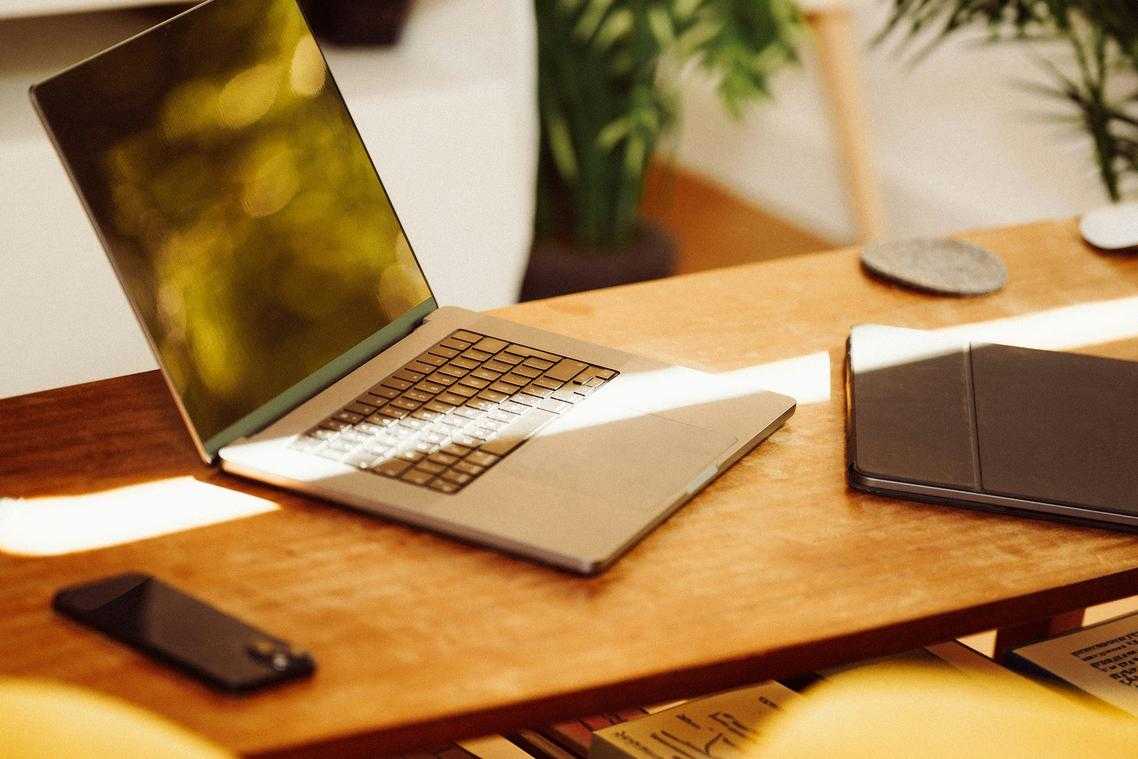
A pristine desk isn’t about minimalism for Instagram—it’s about control. First, adopt the “Essentials Only” Rule.” In other words, perform a desk audit. If you don’t use it daily, remove it. Not weekly. Not “just in case.” Daily. This creates visual clarity, which research links to improved focus and reduced stress (Princeton Neuroscience Institute, 2011).
Some argue a busy desk signals creativity. Fair point—Einstein’s desk was famously chaotic. However, for most of us, clutter becomes friction, not genius.
Go Vertical, Not Wider
Next, reclaim space by building upward:
| Problem | Vertical Fix | Why It Works |
|—|—|—|
| Paper piles | Wall-mounted shelves | Clears primary workspace |
| Drawer overflow | Monitor stand with drawers | Adds hidden storage |
| Folder sprawl | Vertical file holders | Uses unused height |
This is where many guides stop. But a truly functional home setup guide also addresses cables.
Master cable management with adhesive clips, braided sleeves, or a cable box (no more spaghetti chaos underfoot).
Finally, implement the “End-of-Day Reset.” Spend five minutes restoring order. Think of it as brushing your desk’s teeth (yes, really).
Before buying organizers, review this guide on how to evaluate home products before you buy.
Pro tip: Clear surfaces first—then buy storage only if necessary.
Optimizing Light, Sound, and Connectivity
I learned the hard way that lighting can make or break your focus. In my first home office, I relied on a single overhead bulb (big mistake). By 3 p.m., my eyes felt like I’d binged an entire season of a dimly lit crime drama. Layering light—combining ambient lighting (overall room illumination) with task lighting (a focused desk lamp)—instantly reduced eye strain and improved my productivity.
Sound matters just as much. Creating a sound oasis doesn’t require a recording studio. Noise-canceling headphones block disruptive frequencies, while a white noise machine produces consistent background sound to mask distractions (think of it as acoustic camouflage).
Connectivity is the invisible backbone of any functional home setup guide. A reliable internet connection prevents lag and frustration. If Wi‑Fi drops, try:
- A Wi‑Fi extender to boost signal range
- A hardwired ethernet connection for maximum stability
Pro tip: Test your speeds regularly to catch issues early.
Personalizing your space begins with what you see and breathe in. First, incorporate natural elements. A low-maintenance plant—like a snake plant or pothos—adds a soft splash of green while quietly helping purify the air (NASA notes certain houseplants can support indoor air quality). The subtle rustle of leaves can make a room feel alive.
Next, choose a minimalist color palette. Calm neutrals—warm whites, gentle taupes, muted grays—create visual stillness, while a small pop of color, like a mustard cushion, sparks creativity without overwhelming the eye.
Meanwhile, practice intentional decor. Select one meaningful photo or textured art piece instead of clutter.
Finally, consider scent. A light citrus or peppermint diffuser can sharpen alertness. For more ideas, explore a functional home setup guide.
Your Blueprint for a Productive and Pristine Workspace
A productive and pristine workspace starts with the right location, supportive ergonomics, and clutter-free organization. When these pillars work together, your environment does more than look good—it actively fuels focus, efficiency, and better results every day. This functional home setup guide was designed to help you reclaim control of your space and your workflow. Don’t wait for the “perfect” time—choose one small upgrade today, implement it, and begin transforming your workspace into a place that truly works for you.